One SQLite File Instead of Three Databases: HyperCrux 0.1 Keeps Records, Links and Vectors Together
Add search by meaning to an app and the data splits in three. The records stay in the regular database. Their embeddings go to a vector database, so the app can find documents that are about the same thing as a question. The connections between records, who owns what and which document cites which, end up in a graph database or a join table nobody likes. Then something has to copy every change from one to the others, and the day it misses one, a search returns a document that was deleted last week.
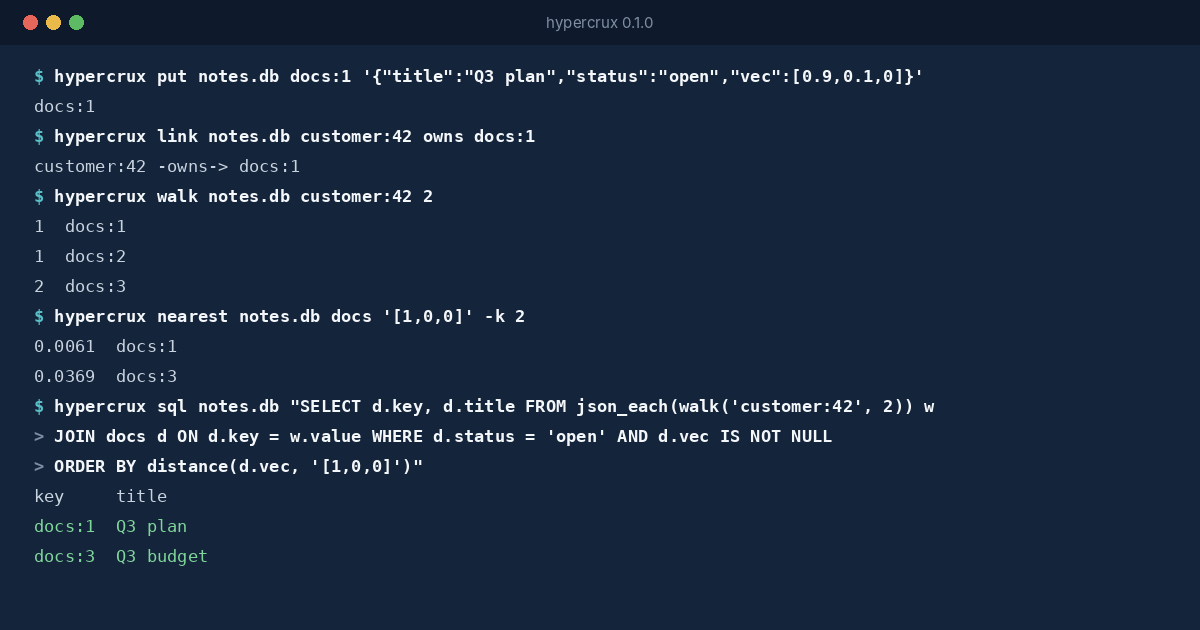
HyperCrux 0.1 keeps all of it in one SQLite file. Each record is a row with a key, its fields, its links to other records and, if it has one, its vector. You can reach it four ways: by key, by SQL, by following links or by similarity. They’re four handles on the same data, so there’s nothing to keep in sync.
What You Get
- Keys.
docs:7is record 7 in the tabledocs. Get it, put it, delete it, or scan every key with a prefix. - SQL. Records are rows in plain SQLite tables. Every field is a column you can filter, join and index.
- Links. Typed, one-way links between records, and walks that follow them up to 32 links out, forwards, backwards or both.
- Similarity. The closest vectors to a question by cosine distance, with an SQL filter if you want one.
- Transactions across all four. A record, its links and its vector are written in one transaction, and deleting a record takes its links with it.
The Rules Live in the File
Plenty of libraries offer some of this. What HyperCrux adds is where it keeps the rules. Every rule that ties keys, rows, links and vectors together is an SQLite trigger stored in the file itself. Insert a row with plain SQL from Python and its key is registered. Delete one from a shell script and its links go too. Try to link to a record that doesn’t exist, or to store a vector of the wrong size, and SQLite refuses the statement, whichever program sent it.
That’s what makes the file safe to share. The hypercrux command, the Go package and a Python script with nothing but the standard library can all write to it, at the same time, and it stays consistent. The file format is documented for anyone who wants to try.
One Query Across All Four
HyperCrux adds three functions to SQL. walk() follows links, distance() compares vectors and vector() turns a JSON array into a stored one. Put together, one statement finds the open documents within two links of a customer, closest to a question first:
SELECT d.key, d.title
FROM json_each(walk('customer:42', 2)) w
JOIN docs d ON d.key = w.value
WHERE d.status = 'open' AND d.vec IS NOT NULL
ORDER BY distance(d.vec, ?)
LIMIT 10
Elsewhere it takes three systems, and code to stitch their answers together.
Where It Fits
The search is exact. It compares the question with every vector that passes the filter, which means it never misses a closer match and filters cost nothing extra to get right. It also means search time grows with the number of vectors. On a two-core cloud machine, a search among 10,000 vectors of 384 values takes about 42 milliseconds, and among 100,000 about 0.4 seconds. That suits a team’s documents, a product catalogue, a support knowledge base or an agent’s memory. Ten million vectors want an approximate index, and HyperCrux doesn’t have one.
The same goes for links. Short walks are quick, and deep searches across huge, dense graphs belong in a graph database. HyperCrux is for one machine and one file, shared by any number of processes on it.
The code is open source under the Apache License 2.0, and the binaries for Linux, macOS and Windows are on the download page. The quick start goes from nothing to all four handles in a few minutes, and how it was tested is a post of its own.